


In the digital ecosystem of 2026, the frustration of a “Coupon Invalid” message is a universal modern grievance. You have spent twenty minutes meticulously filling your cart with the perfect selection of items. You have navigated to Coupinity.com, found a verified, authentic promo code, and copied it with the anticipation of watching that total price drop. You paste it into the box, click apply, and instead of a discount, you are met with a cold, red error message. The code is real, the store is legitimate, and yet, the transaction fails. This phenomenon is one of the most significant pain points in e-commerce today.
Understanding why authentic promo codes fail requires a deep dive into the complex web of retail algorithms, exclusionary fine print, and the technical synchronization—or lack thereof—between third-party platforms and brand databases.
The primary reason a legitimate code fails is often buried in the “Exclusionary Clause.” In the hyper-segmented retail landscape of 2026, brands rarely offer “sitewide” discounts in the literal sense. Most coupons are programmed with specific SKU exclusions. For instance, luxury brands often allow discounts on their seasonal fashion lines but strictly exclude “Evergreen” or “Iconic” pieces that never go on sale.
If you are shopping at a major retailer like Sephora or Ulta, a 20% off code may be authentic, but it almost certainly excludes “Prestige” brands like Chanel or Dyson. When you apply a code to a cart containing both eligible and ineligible items, the backend system often triggers a generic failure message rather than a sophisticated breakdown of which items caused the conflict. This lack of transparency leads users to believe the code is “fake” when, in reality, it is simply being blocked by a specific item in the basket.
Another layer of complexity involves the “Threshold Paradox.” Many of the best promo codes are tied to a Minimum Order Value (MOV). While this seems straightforward—for example, $20 off a $100 purchase—the failure occurs during the calculation of that threshold. Retail systems calculate the MOV based on the “subtotal” after other automatic discounts are applied but before taxes and shipping are added.
If a store is running an automatic “Buy One Get One” promotion on socks, and that promotion drops your subtotal from $105 to $95, your $100-minimum promo code will suddenly fail. The system sees a $95 cart and rejects the code, even though your initial intent was to spend over the limit. This “discount stacking” conflict is a leading cause of code rejection, as most retail software is hard-coded to allow only one primary discount path per transaction.
Technical synchronization issues represent the “ghost in the machine” of e-commerce. Even when a code is issued by a brand’s marketing department, it must be manually or programmatically updated in the store’s Point of Sale (POS) API. In the fast-paced world of 2026 “Flash Sales,” these updates can lag. A brand might announce a code on social media at 10:00 AM, but the server that validates those codes might not refresh its database until 10:15 AM. During that fifteen-minute window, a perfectly real code will return an error.
Similarly, “Single-Use” codes often fail because of a “Ghost Session.” If you apply a code, reach the final payment screen, but then navigate away to check your bank balance or change your shipping address, the retailer’s system may “lock” that code to your abandoned session for 30 to 60 minutes to prevent duplicate usage. When you try to enter it again in your new session, the system reports it as “already used,” even though no purchase was actually made.
The geographical and “Account-Specific” barrier is another significant hurdle. With the rise of hyper-personalized marketing, brands now issue “Real-Time Unique” codes that are tied to specific IP addresses, email accounts, or loyalty tiers. If a friend forwards you a “We Miss You” 30% off code they received in their inbox, that code is technically “real.” However, the moment you paste it into your account, the database checks the “Recipient ID” field.
If your account isn’t the one the code was generated for, it fails. To the user, this looks like a broken code. To the retailer, it is a targeted security measure. As Coupinity.com users know, distinguishing between a “Public Promo Code” and a “Targeted Offer” is essential for managing expectations at checkout.
Timing and “Time Zone Displacement” also play a silent role in these failures. We live in a global marketplace, but retail servers operate on specific regional clocks. A “Valentine’s Day Sale” code might be advertised to expire on February 14th. However, if the brand’s headquarters is in London and you are shopping from New York, the code might expire at midnight GMT, which is 7:00 PM EST. You are technically still in the Valentine’s Day window, but the server has already rolled over to the next day’s logic. This discrepancy is rarely explained in the error message, leaving the shopper confused as to why a date-specific code isn’t working on the date in question.
Platform-specific limitations are becoming increasingly common in 2026. Many brands have shifted their best offers exclusively to their mobile apps to drive downloads and data collection. A code found on a coupon site might be 100% authentic for the brand’s app but restricted on their desktop website. If a user attempts to apply “APPONLY20” in a Chrome browser, it will fail.
Furthermore, the rise of “Social Commerce” via platforms like Instagram and TikTok has introduced “In-App Browser” issues. These mini-browsers often strip away the cookies or referral tracking necessary for a promo code to validate, leading to a failure that wouldn’t happen if the user were on a standard Safari or Brave browser.
Cookie corruption and cache interference are the final technical culprits. Browsers store data from previous visits to make sites load faster. If you previously visited a site while a different, expired promotion was active, your browser might be holding onto “Stale Data.” When you try to apply a new, real code, the conflicting data in your cache can cause the site’s script to crash or return a false negative. This is why “Clearing your Cookies” or using “Incognito Mode” is the oldest but most effective trick in the book for coupon hunters. It forces the retailer’s server to look at your cart with fresh eyes, unencumbered by previous session data.
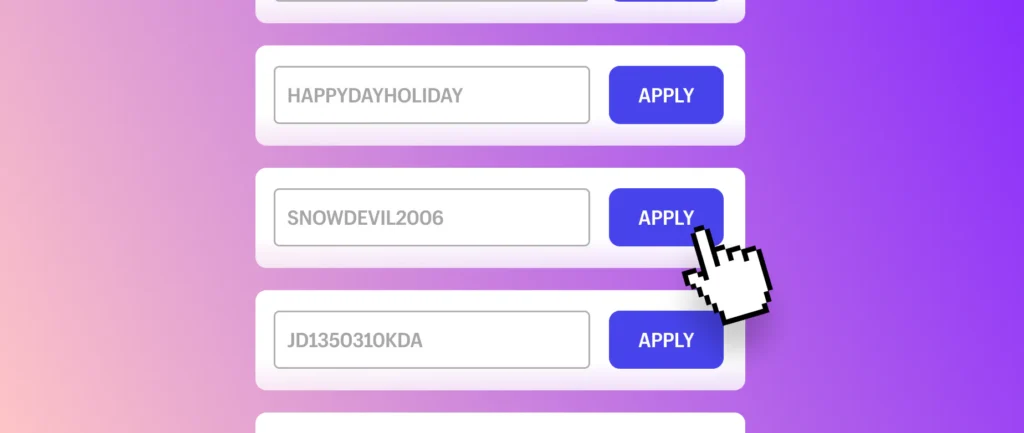
The human element of “Typographical Nuance” cannot be ignored either. In 2026, many brands use “Zero-Width Spaces” or specific case-sensitive character strings to prevent bot-scraping of their codes. If a user manually types a code and confuses a “0” (zero) with an “O” (the letter), or an “I” (capital i) with an “l” (lowercase L), the code fails. Even extra spaces at the beginning or end of a “Copy-Paste” can trigger a validation error in older e-commerce platforms that aren’t programmed to “trim” the input field.
At Coupinity.com, we believe that understanding the “Why” behind a failed code empowers the consumer. Most of the time, the code isn’t a lie; it is simply a victim of a very specific set of digital circumstances. To ensure a higher success rate, we recommend a three-step checklist: First, check the cart for “Sale” items that might be excluded from further discounts.
Second, ensure you have met the subtotal threshold after all other automatic reductions. Third, try the transaction in an Incognito window to bypass cache conflicts. By understanding these invisible barriers, you can navigate the 2026 sales landscape with less frustration and more successful savings.